


AI Video Generator: Livensa
4.12.14K Reviews
App Specs
- Version
- 6.0.1
- Updated On
- License
- Free
- Downloads
- 1,000,000+
- Developer
- FERASET
- Categories
- Art & Design
- Platform
- Android, iOS
Screenshots
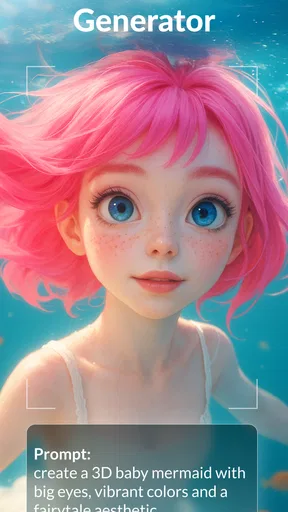
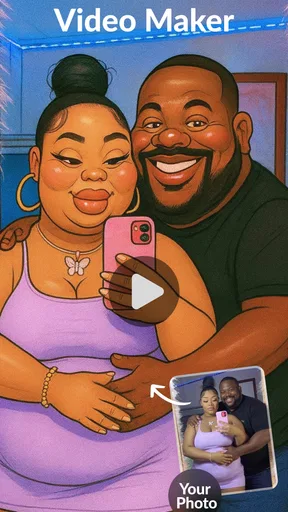
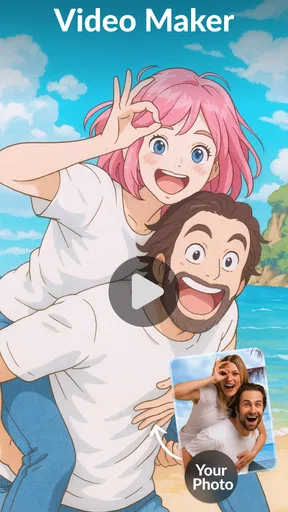
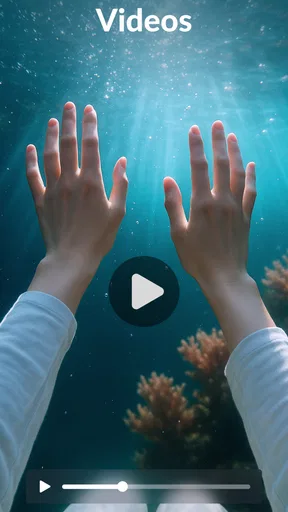
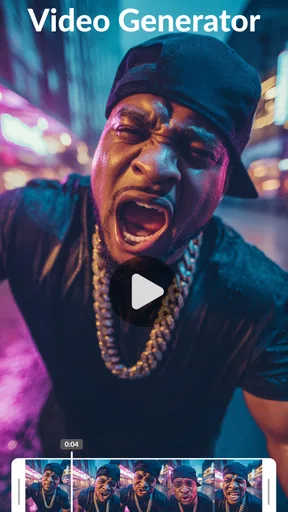
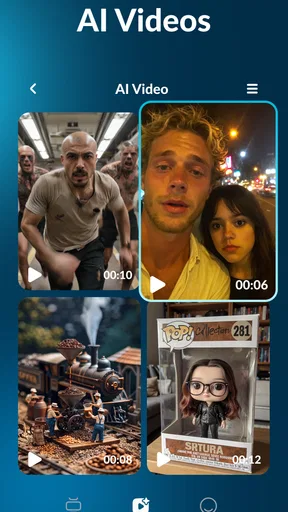
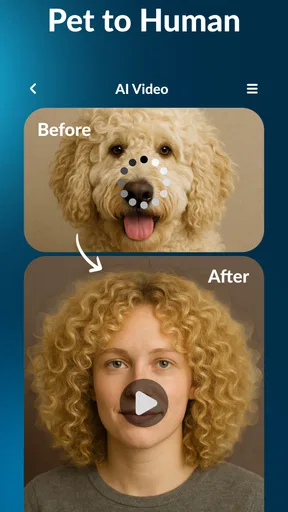
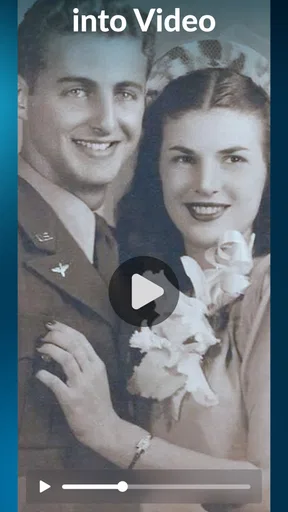
 Analysis by AppCompare
I’m drawn to AI Video Generator: Livensa for one main reason: it offers a way to turn a written idea into a video without asking me to build every shot by hand. That focus makes it appealing when I have a clear concept but little time, editing experience, or suitable footage. It is an Art & Design app from FERASET, and its text-to-video approach is the part I’d consider first rather than treating it as a full replacement for a traditional video editor.
The basic promise is easy to understand: start with words, then let AI help shape them into moving images. That can lower the barrier to making a short visual piece, but it also changes what “editing” means. You are guiding a generated result, not necessarily assembling a precise sequence from footage you filmed yourself. I’d approach it as a creative starting point, then judge whether the result fits the mood and details I actually wanted.
What text-to-video changes for a creator
With a conventional editor, the first hurdle is often gathering clips, choosing an order, and making the visuals feel connected. A text-to-video workflow lets me begin with the message instead. That is useful for a quick concept, a playful social post, or a visual draft when I have an idea but no camera-ready material. It is less suited to a project where every object, face, or action needs to match a precise brief.
I’d write a prompt as a small creative brief rather than a vague wish. Naming the subject, mood, setting, and intended style gives the generator a clearer direction than asking for something merely “cool.” I would keep the request focused too: too many unrelated details can make it harder to tell whether the output has captured the central idea. Treating the first result as a draft, not a finished deliverable, is a practical way to avoid disappointment.
How I’d use it in practice
For a realistic everyday example, imagine I want to make a short invitation for a family get-together but have no suitable clips to edit. I could describe the atmosphere I want, generate a visual starting point, and then decide whether it feels warm and personal enough to share. If it looks generic, I can revise the idea instead of spending time searching for footage that may not exist. That makes the app useful for trying a visual direction quickly, even when the final version needs a human touch.
Another good use is a rough visual for a creator planning a post. A short generated clip can help test whether a concept reads clearly before investing effort in filming or detailed editing. I would still check the result carefully for awkward visual choices and for whether the images actually support the message. AI can save the blank-page effort; it cannot decide whether the finished piece is right for a particular audience.
That distinction matters when deciding what to do with a generated video. For casual sharing or brainstorming, a result that communicates the idea may be enough. For a client presentation, a branded campaign, or a personal story where specific details matter, I would review every scene and be ready to use a more hands-on editor if the output feels off. The faster starting point is valuable, but it does not remove the need for judgment.
Worth Reading Before You Choose

EA SPORTS FC Mobile 26 Is a Bigger Football Game, but It Takes Time

Flipboard Shows What News Apps Must Do Beyond the Feed

Switching to Android Auto Means Rethinking Your Driving Routine

Google Calendar Makes a Crowded Week Easier to Manage

Ludo King Makes the Most of the Minutes Between Plans

Baby Panda World Brings Quick Play to Modern Phones, but Its Game Library Feels Busy
Where it sits beside ordinary video tools
Compared with a typical mobile video editor, Livensa’s appeal is the AI-led starting point: I can begin with a prompt rather than a folder of clips and a blank timeline. A standard editor is usually the better fit when I already have footage and want exact control over timing, shot order, and fine adjustments. The two approaches solve different problems, so I would choose based on whether my main obstacle is creating visuals or arranging material I already own.
Compared with making a static image, a generated video can give an idea a sense of motion and make it more noticeable in a social feed. The trade-off is that motion introduces more chances for a visual detail to feel wrong. If a still image communicates the message just as well, a simpler design tool may be the more reliable route. I would use Livensa when movement adds something, not just because video seems more impressive.
Useful habits and limits to keep in mind
A small but useful habit is to save the core of a prompt before experimenting with style. If I change the subject, setting, and mood all at once, I cannot tell which change improved the result. Keeping the main idea steady while adjusting one element at a time makes creative iteration more deliberate. It also helps me recognize when the concept itself needs simplifying rather than another round of stylistic tweaks.
I would also think about the final viewing context before generating. A clip meant for a quick phone screen needs its main idea to read immediately; a video shown in a presentation may need a calmer pace and visuals that do not distract from the point. If the output is only a first draft, I would label it as such before sharing it with collaborators. That avoids treating generated imagery as a precise record of events or as finished brand material without review.
Livensa is free to install, with in-app purchases ranging from $0.99 to $44.99 per item. I’d check the purchase details in the app before committing, especially if I expect to make videos regularly. Its 4.1 average from around 171,000 ratings suggests that many people have tried it, but a rating cannot tell me whether its particular generation style matches my own needs. The useful test is whether I like the results I can make from my own ideas.
The app is rated for Everyone, and its current version is 5.9.5, with a minimum operating system requirement of 7.1. It has passed over 1 million installs, so it is not an obscure experiment, but popularity alone does not make it the right creative tool for every project. I’d consider those practical details alongside what I actually want to produce: spontaneous visual ideas, rather than meticulous footage editing.
For someone wondering whether it can replace a conventional editor, my answer is no—not if precise control over recorded clips is the priority. If the question is whether it can help turn a written idea into a visual experiment, that is where its central capability makes sense. FERASET’s app is best approached as a prompt-led creative aid, with the user still responsible for checking whether the output is coherent, appropriate, and worth sharing.
Getting Started with Livensa
When you first open AI Video Generator: Livensa, you're greeted with a sleek, intuitive interface. No need to feel overwhelmed; the design is super user-friendly. The first thing you want to do is dive into the tutorials. They’re short, sweet, and get you up to speed in no time.
The app uses AI to help you create videos that look professionally done. Whether you want to make a fun TikTok, a polished YouTube clip, or a heartfelt family video, Livensa has got your back. And the best part? You don’t need to be a tech wizard to pull it off.
Features That Stand Out
Let’s talk features. One of the coolest things about Livensa is its variety of templates. With a few taps, you can transform your raw footage into something spectacular. The AI does most of the heavy lifting, suggesting cuts, transitions, and even music. It's like having a creative partner who knows exactly what you need.
Another standout feature is the text-to-video capability. Just type in your script, and Livensa will generate a video complete with visuals and music. It’s a game-changer for content creators who want to churn out videos quickly without compromising quality.
Customizable effects and filters are also on the menu. Want to add a retro vibe or a futuristic feel? No problem. Livensa’s library is extensive and keeps expanding, ensuring your videos never look dated.
Editing Made Easy
The app’s editing tools are straightforward yet powerful. You can trim, split, and merge clips effortlessly. The AI assists in suggesting edits, but you have full control to tweak things to your liking. And if you make a mistake? No worries, the undo button has got you covered.
One of my favorite features is the ability to auto-sync your video with music. The app analyzes your footage and matches it to your chosen track perfectly. It takes the guesswork out of editing, letting you focus on the fun parts.
Sharing Your Masterpiece
Once you’ve crafted your video, sharing it is a breeze. Livensa integrates seamlessly with major social media platforms. Whether you’re posting on Instagram, Facebook, or sending it to friends via WhatsApp, Livensa optimizes everything for you.
You can also export your video in different resolutions. Whether you need something for a quick post or a high-quality version for a presentation, Livensa has options to suit your needs.
Why You’ll Love It
In a nutshell, AI Video Generator: Livensa is the ultimate tool for both budding creators and seasoned video editors. It's packed with features that are both powerful and easy to use. The AI integration means you spend less time fiddling with settings and more time creating content you love.
Whether you're making videos for fun, work, or your social media empire, Livensa makes the process enjoyable and stress-free. So, if you're ready to elevate your video game, give Livensa a try. You won’t regret it!
Who will get the most from it?
I’d recommend it most to people who enjoy experimenting with ideas and want a low-friction way to see them in motion. A casual creator making a playful post, someone preparing a visual mood draft, or a person who wants to explore a story before filming can all benefit from a prompt-first tool. The app’s Art & Design focus suits that exploratory side: the value is not only in a shareable clip, but in being able to test a visual direction without first learning a complex editing workflow.
I’d be more cautious if I needed consistent characters, exact product details, or a carefully controlled sequence for work. A generated scene can communicate a broad feeling while missing a small but important requirement. In those cases, I would choose a conventional editor for recorded footage or a design app for a static, tightly controlled layout. Livensa is a better fit when creative speed and visual exploration matter more than frame-by-frame precision.
My verdict on the prompt-led approach
The most useful way to think about Livensa is as a bridge between an idea and a first visual draft. Its text-to-video capability can make starting less intimidating, especially when I have no clips ready, but it does not guarantee that the result will be polished or faithful to every instruction. I’d give it a try if I wanted to explore a concept quickly, then keep another editing option in mind for projects where control matters more than convenience.
Pros
- Easy to use with intuitive interface.
- High-quality video output.
- Variety of templates available.
- Fast processing time.
- Regular updates with new features.
Cons
- Limited free version features.
- Occasional rendering glitches.
- Requires strong internet connection.
- Some templates are repetitive.
- In-app purchases can be pricey.
FAQs for AI Video Generator: Livensa
What is AI Video Generator: Livensa?
AI Video Generator: Livensa is a cutting-edge app designed to help users create high-quality videos using artificial intelligence. With a range of customizable templates and intuitive editing tools, users can easily produce professional-looking videos for personal or business use without needing advanced video editing skills.
How user-friendly is Livensa for beginners?
Livensa is highly user-friendly, making it ideal for beginners. The app features an intuitive interface with step-by-step guides and tutorials. Users can easily navigate through its features, select templates, and apply effects with just a few taps, ensuring that even novices can create impressive videos effortlessly.
What are the main features of Livensa?
Livensa offers a variety of features, including AI-driven video editing, customizable templates, text overlays, transitions, music integration, and more. It also supports multiple formats and resolutions, enabling users to tailor their videos for different platforms, whether for social media or professional presentations.
Are there any in-app purchases or subscriptions required?
While Livensa offers a range of free features, there are optional in-app purchases and subscription plans available. These typically include access to premium templates, advanced editing tools, and additional storage. Users can choose to upgrade based on their needs, but the free version is quite robust for standard video editing tasks.
Does Livensa support collaboration or sharing features?
Yes, Livensa supports collaboration and sharing features. Users can easily share their projects with others for feedback or collaborative editing. The app also allows direct sharing to various social media platforms, ensuring your creations can reach your audience quickly and conveniently.


